
How to Test If Your CV Will Pass an ATS Before You Apply
A three-step way to check whether your CV will parse and score well in an ATS before you apply, instead of finding out from silence after you submit it.
Free CV Maker, no account needed
A free online CV maker with a built-in ATS score checker. Write on the left, watch the printed page build on the right, then download it as a PDF, a Word file or a Europass CV. Your CV stays in your browser — we never store it.
There are ten single-column templates to choose from, 29 fonts, and fourteen quality checks that run as you write — and zero CVs stored on our servers.
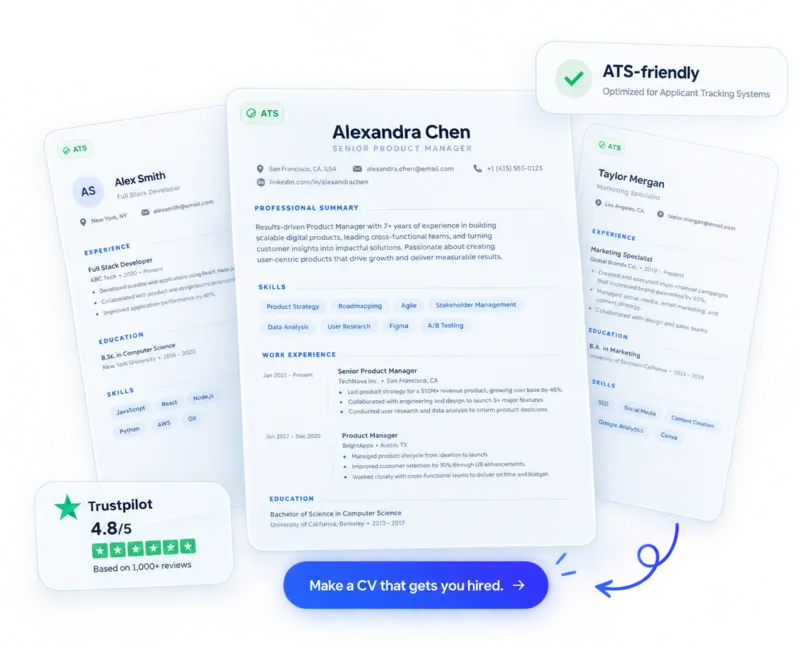
Most CV builders stop at pretty templates. This one tells you whether what you have written is any good.
The preview is rendered by the same code that makes your PDF, so the file you download is exactly what you saw. No surprise reflow, no shifted page breaks.
Fourteen checks run instantly and free: weak opening verbs, achievements with no numbers, filler like “responsible for”, missing dates, over-long bullets. Each one names the fix rather than just marking you down.
Classic, Modern, Minimalist, Compact, Executive, Technical, Academic, Corporate, Elegant and the official Europass CV format for applications across the EU.
Export a print-perfect PDF, an editable .docx for employers who insist on Word, or clean LaTeX source that compiles on Overleaf. Plain text and JSON backups too.
Generate a cover letter for a specific posting using only facts already in your CV. Pick a warm, formal or short and direct voice.
Tell it to fit one page and it tightens type size, line spacing and margins step by step until it does, then tells you if you simply have too much content.
Step 1
Step 2
Step 3
Export a PDF or Word file. Come back any time — your CV is waiting in this browser, and you can back it up as a file whenever you like.
Where the Europass format helps
Applications to EU institutions, Erasmus and university places, and employers in Germany, France, Italy, Spain and the Nordics who expect a structured European CV.
Where it does not
Applications in the US, UK, Canada and Australia. Those markets expect a shorter achievement-led CV without a photo or date of birth, so use one of the other nine templates instead — the builder keeps your content and only swaps the layout.
Your CV holds your address, your phone number, your employment history and often your date of birth. Most free CV builders keep all of it on their servers and ask you to register first. This one writes your CV to your own browser storage instead. It reaches our server only to be turned into a preview or a PDF, and is discarded in the same moment — never written to a database.
No work history yet? The graduate starter leads with education and projects, and the score stops you padding with filler.
The Europass format, filled in properly, without wrestling with the official online editor.
Yes. You can build, score and download a CV as a PDF or Word file without paying, registering or giving an email address. There is no watermark and no download limit.
Use a single-column layout with standard headings like Experience and Education, put month and year on every role, write in plain text rather than tables or text boxes, and mirror the wording the job posting uses. Every template here does the structural part for you, and the built-in score flags the writing problems.
One page if you have under about ten years of experience, two pages beyond that. Academic CVs are the exception and run longer. The builder estimates your page count as you write, and the fit-to-one-page button tightens the layout for you.
Yes. Alongside PDF you can export a real .docx file, which matters when an employer or recruiter asks for an editable version. LaTeX source, plain text and a JSON backup are also available.
No. Your CV is saved in your own browser, not on our servers, and it is never sold or shared. If you choose to give your name, email and phone number before downloading, those details are stored so we can contact you about your CV — and you can decline and still download.
Free, no account, and it stays in your browser. Start from a blank page or import the CV you already have.
A three-step way to check whether your CV will parse and score well in an ATS before you apply, instead of finding out from silence after you submit it.
AI tools are good at editing and checking a CV, and risky at inventing content for it. Here’s a practical way to use AI on your CV without adding claims you can’t back up.
How CV length, photos, and personal details differ between the US, UK, and continental Europe — and how to tell which convention a given job posting actually expects.
Most free CV builders are template galleries: pick a design, fill in boxes, download a PDF that looks nice and fails the applicant tracking system anyway. CV Studio was built backwards from that problem. Every template here is single-column by default, because two-column layouts are the single most common reason a real CV gets mangled or dropped when an ATS parses it — dates, job titles and bullet points can end up out of order or missing entirely once a system reads a multi-column PDF as one continuous stream of text.
As you write, the built-in checker reads your draft the way parsing software does and flags problems a spellchecker won’t catch: a summary that describes duties instead of results, bullet points with no numbers behind them, a work history with unexplained gaps, or formatting elements that don’t survive the trip through an ATS. You fix things in the editor and watch the score change in real time, rather than getting a single opaque grade at the end.
Nothing you write is uploaded anywhere. The CV lives in your browser’s local storage until you export it, which also means it disappears if you clear your browser data or switch devices — export a PDF or the JSON backup if you want to keep it. There’s no account, no email capture, no watermark, and no limit on downloads.
CV Studio is aimed at people who need a CV that will actually get opened by a person, not just look good on screen: job seekers applying through large-company portals that run every application through an ATS first, students and early-career applicants who don’t yet have a polished CV to start from, and anyone switching formats — for example producing a Europass CV for an EU application or a LaTeX CV for an academic one — without learning a new tool for each.